Overview
Spendflo allows you to configure renewal settings and customize renewal notification and escalation email setups. This ensures stakeholders are notified at the right time regarding upcoming contract expirations, providing full control over the renewal timeline and communication workflow.
Pre-requisites
- Admin privileges are required to access Platform Settings.
Features
- Customize reminder notification frequency for renewals.
- Define escalation levels and stakeholder notifications based on days before expiration.
Here are the steps to configure renewal settings:
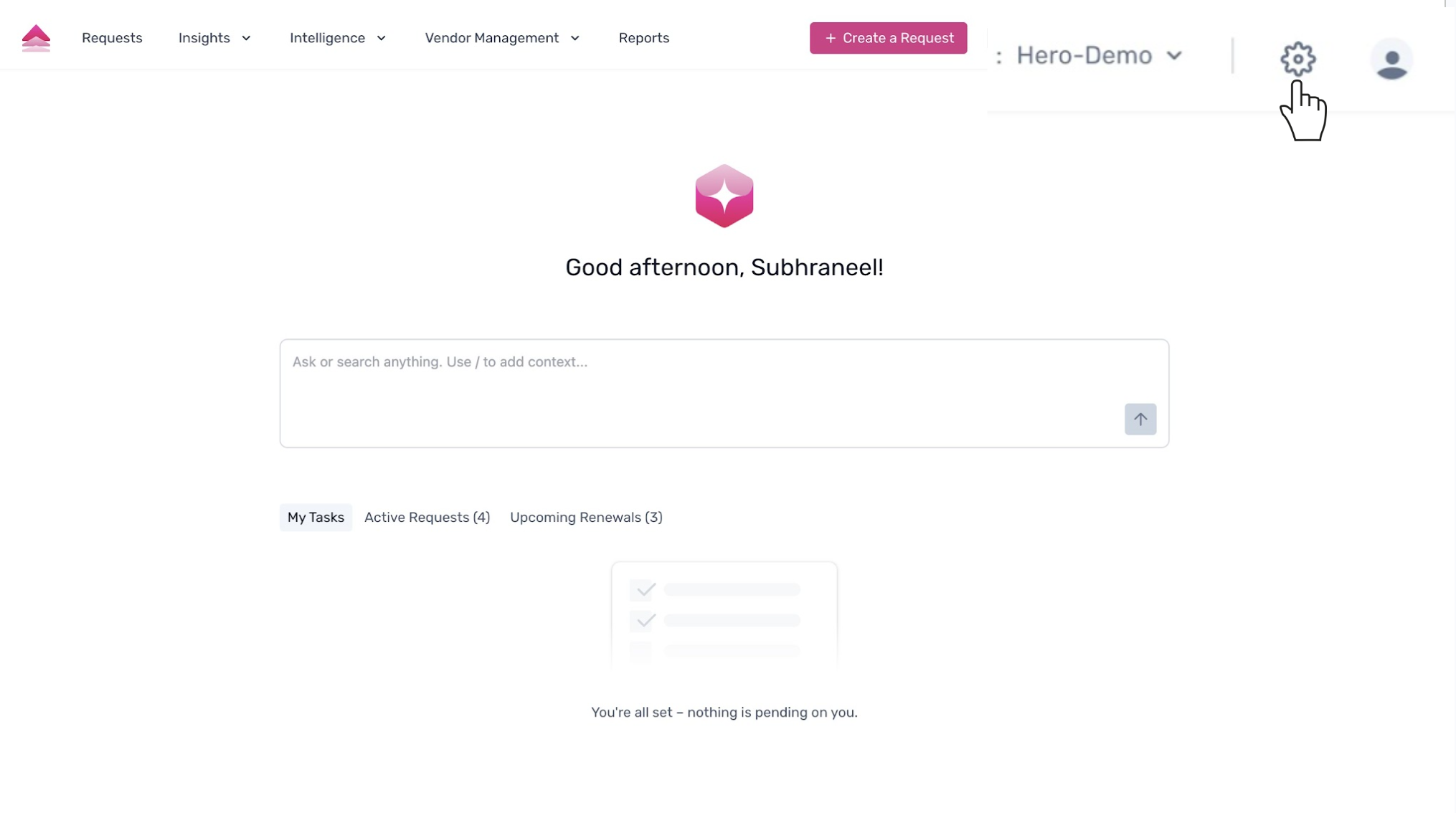
To begin configuring renewal settings, navigate to the main dashboard. From here, click on the 'Settings' gear icon located in the top-right corner of the page.
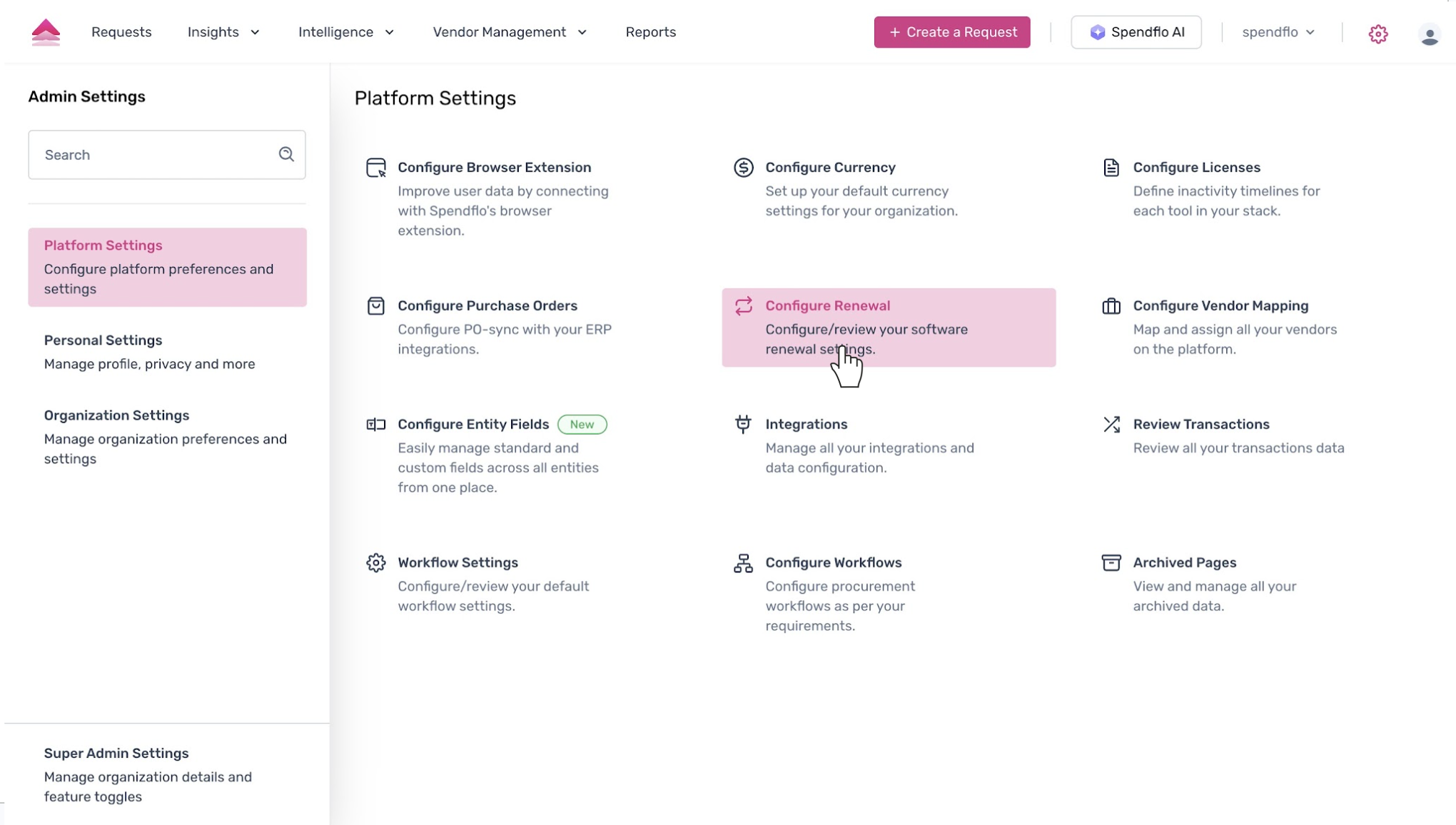
You will be directed to the 'Admin Settings' page. Under 'Platform Settings', locate and click on the 'Configure Renewal' option to manage your software renewal settings.
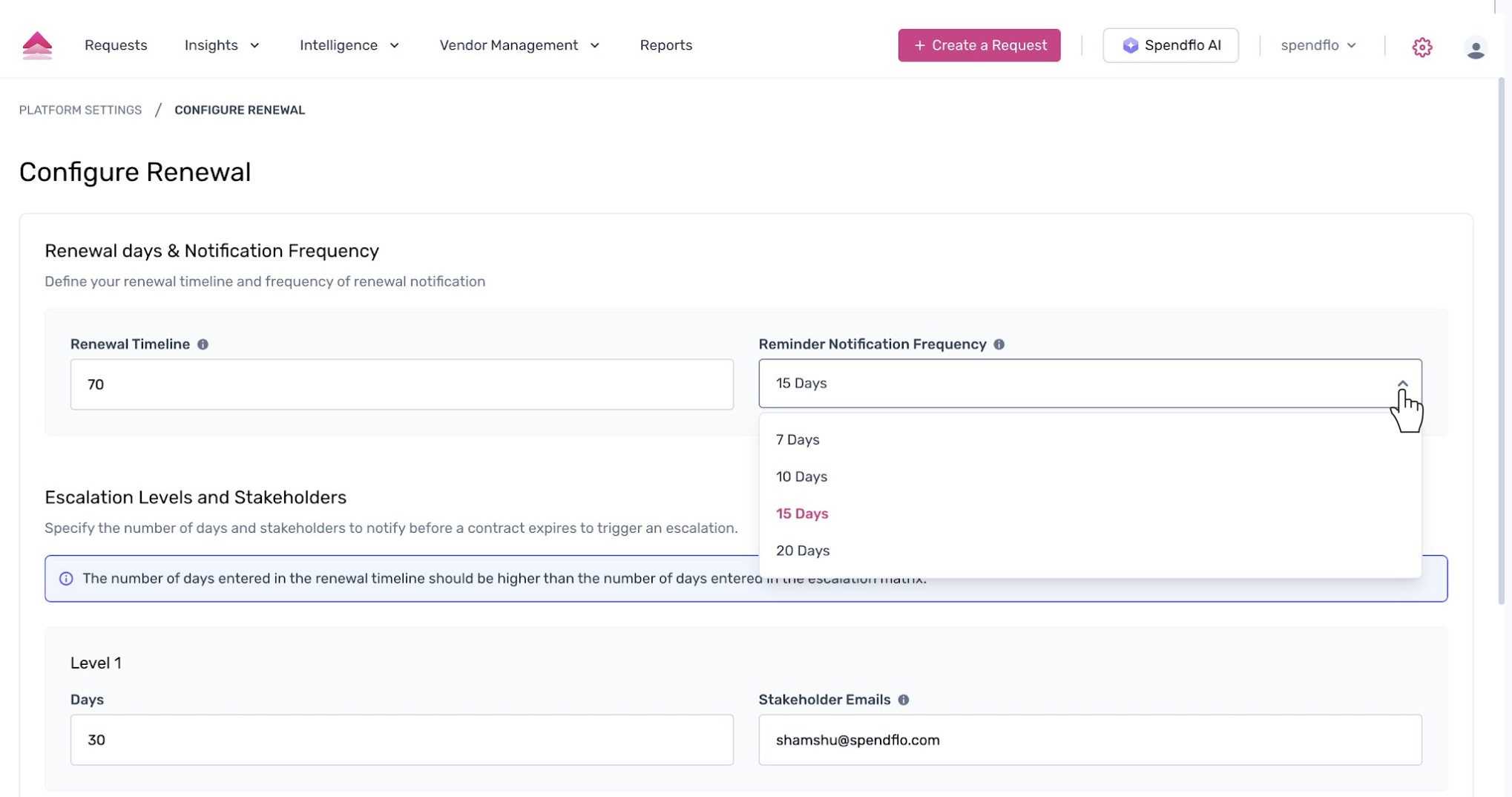
On the 'Configure Renewal' page, you can define the renewal timeline and notification frequency. First, adjust the 'Reminder Notification Frequency'. Click the dropdown menu and select the desired frequency (e.g., '10 Days').
Next, scroll down to the 'Escalation Levels and Stakeholders' section. In the 'Level 1' section, enter the number of days (e.g., '45') into the 'Days' field. This sets the first escalation to trigger a specific number of days before a contract expires.
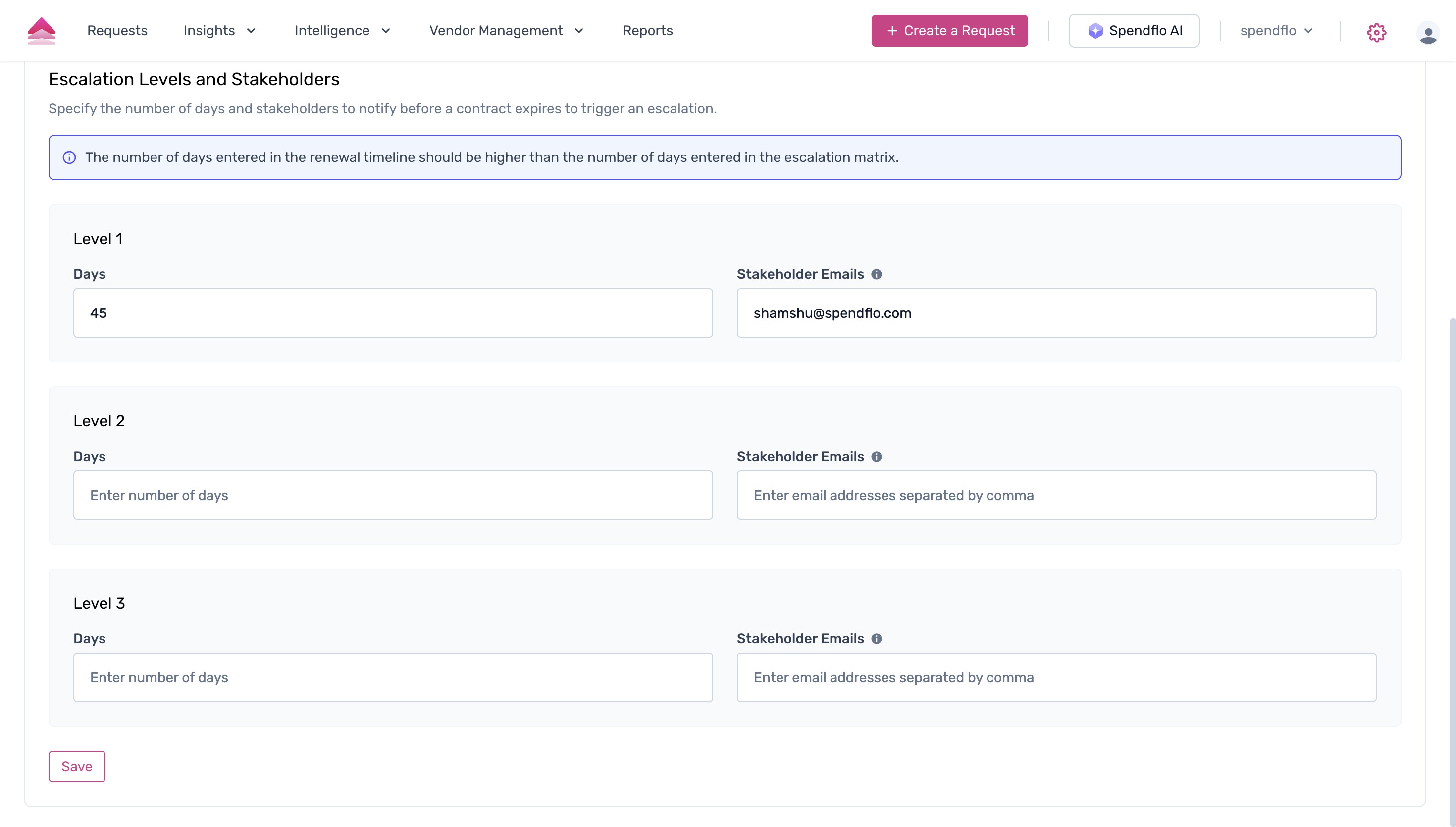
Once you have configured the settings, click the 'Save' button at the bottom of the page.
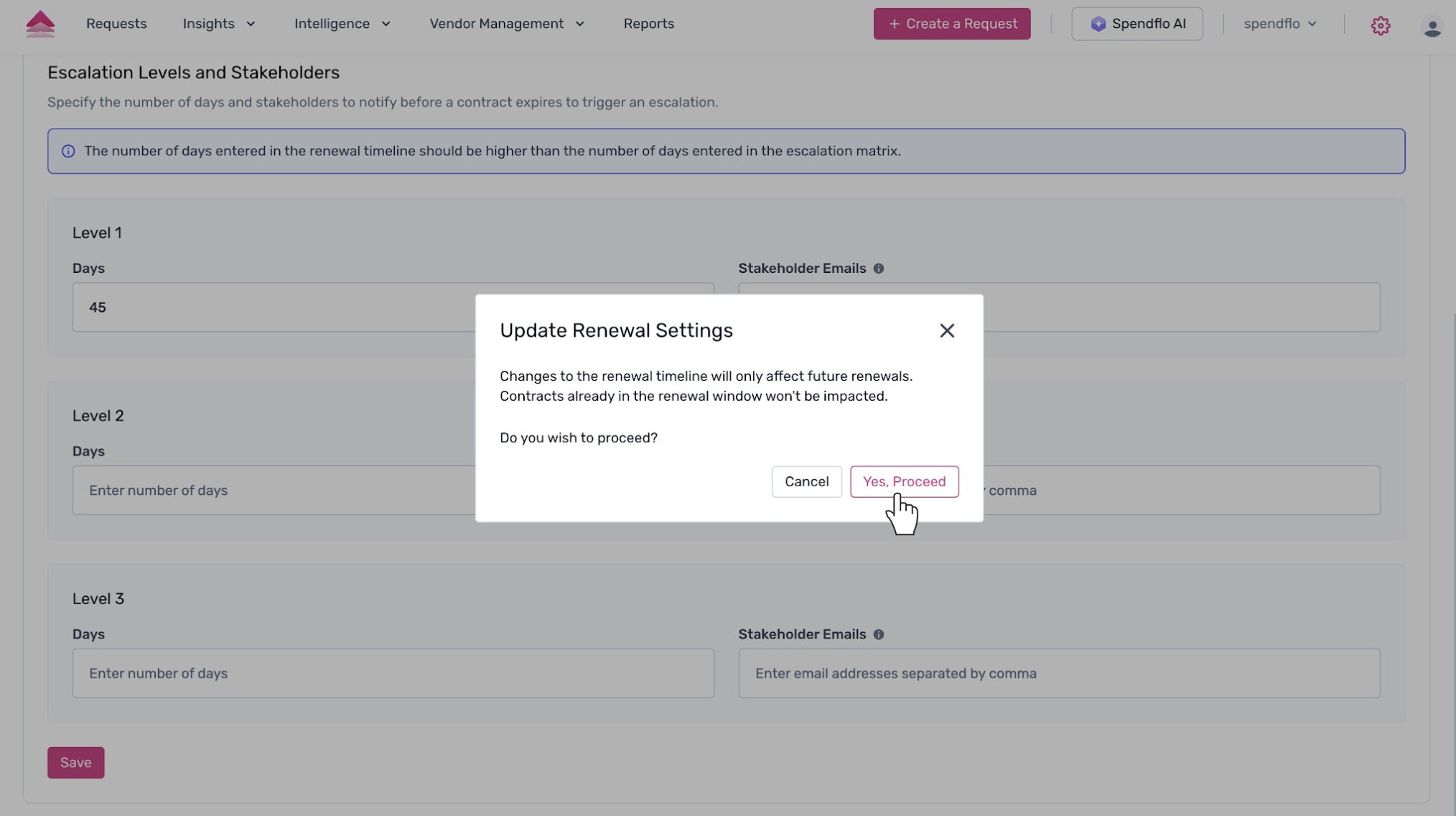
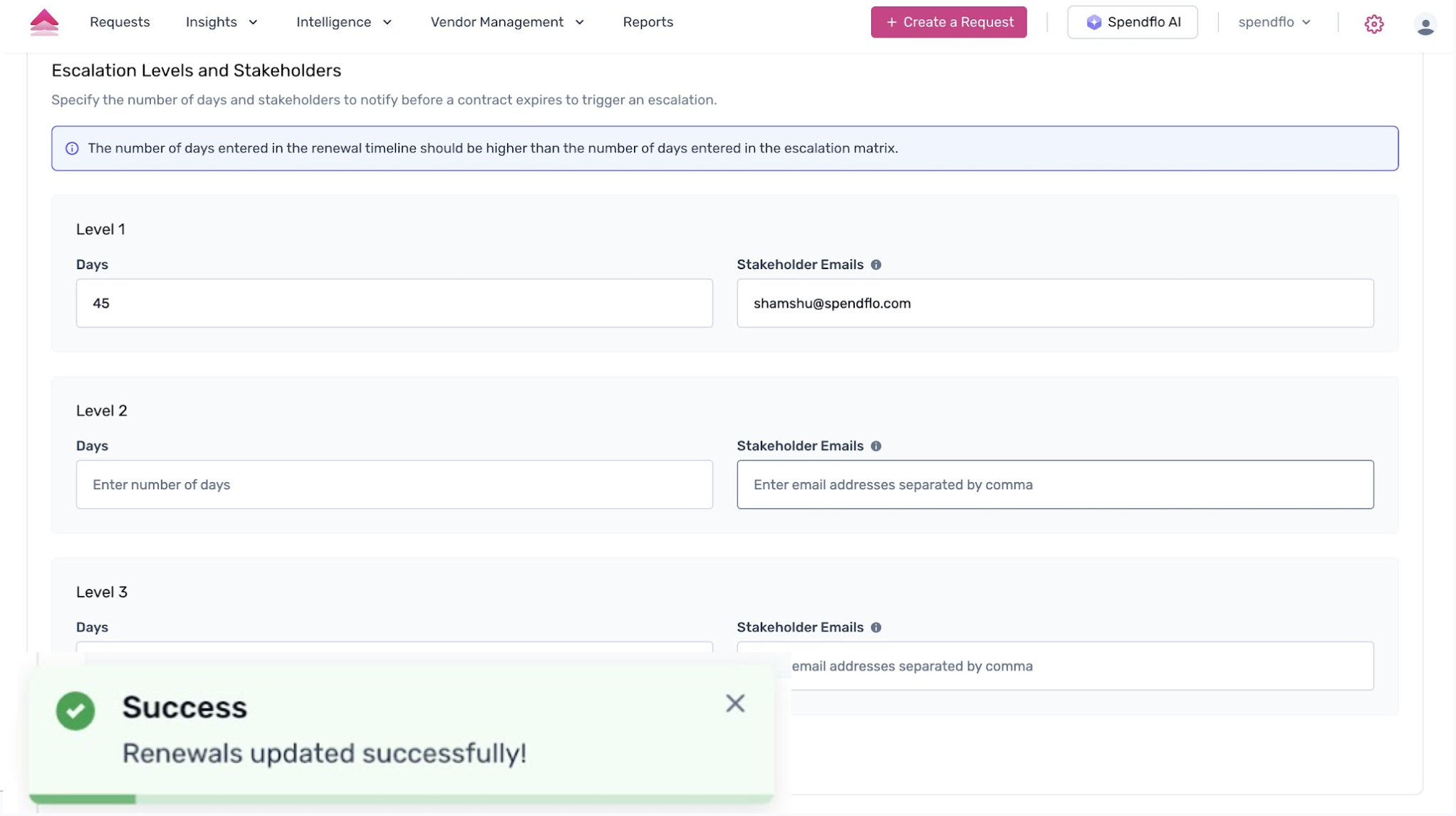
A confirmation pop-up will appear, asking you to confirm the update. Click 'Yes, Proceed' to save your changes.
Important Note:
- Changes to the renewal timeline will only affect future renewals. Contracts already in the renewal window won't be impacted.
Was this article helpful?
That’s Great!
Thank you for your feedback
Sorry! We couldn't be helpful
Thank you for your feedback
Feedback sent
We appreciate your effort and will try to fix the article