Overview
Each vendor has a unified profile bringing together contracts, spend data, documents, and compliance questionnaires. Browse your full supplier list, monitor spend at a glance, and drill into any vendor for a complete picture - all in one place.
1. What is a Vendor?
A Vendor in Spendflo is any supplier your company buys from. Each vendor has a single, unified record where you can track contracts, spend, documents, questionnaires, and risk — all in one place.
Key Vendor Fields
Vendor Name — the unique name identifying the supplier
Website — the vendor's web address for quick reference
Email — primary contact email for the vendor
Status — current status of the vendor (active, inactive, etc.)
Department — the internal team that owns or manages this vendor
Owner — the person in your organisation responsible for the vendor
Subsidiary — for vendors linked to an ERP system (e.g. NetSuite or Coupa)
Additional ERP Attributes — finance and procurement data synced from your ERP
2. What is Vendor Management?
Vendor Management is the central module in Spendflo where you view and manage your entire supplier portfolio. It brings together contracts, spend data, documents, and risk assessments in one unified workspace — giving your team a single source of truth for every supplier relationship.
What Vendor Management Includes
Vendors — the full list of all your suppliers with spend and ownership data
Agreements — contracts and agreements linked to each vendor
Purchase Orders — POs managed under the Vendor Management module
3. Accessing Vendors
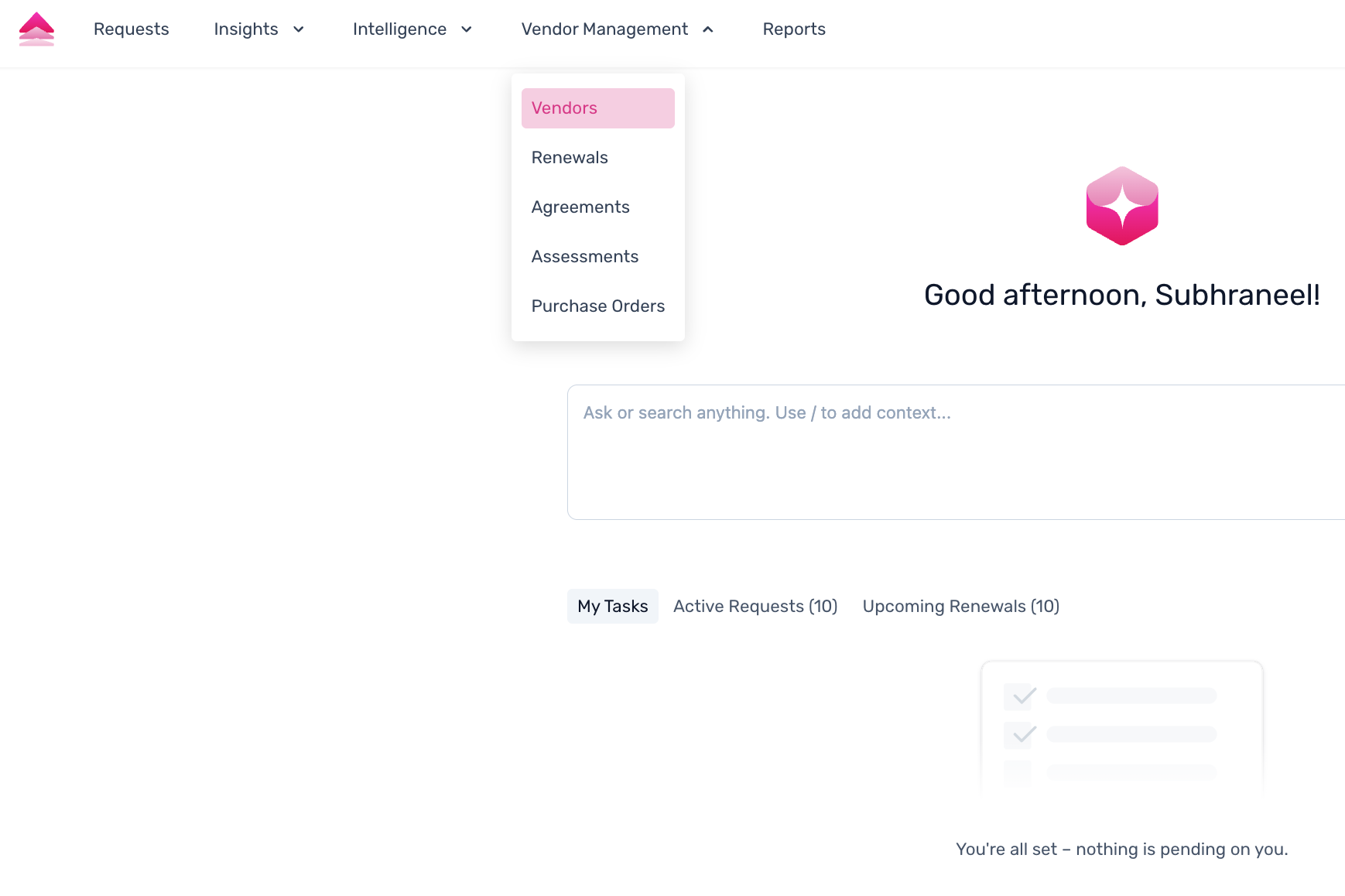
3.1 Navigation
To access the Vendors section, go to Vendor Management → Vendors from the left-hand navigation menu.
3.2 The Vendor Listing Page
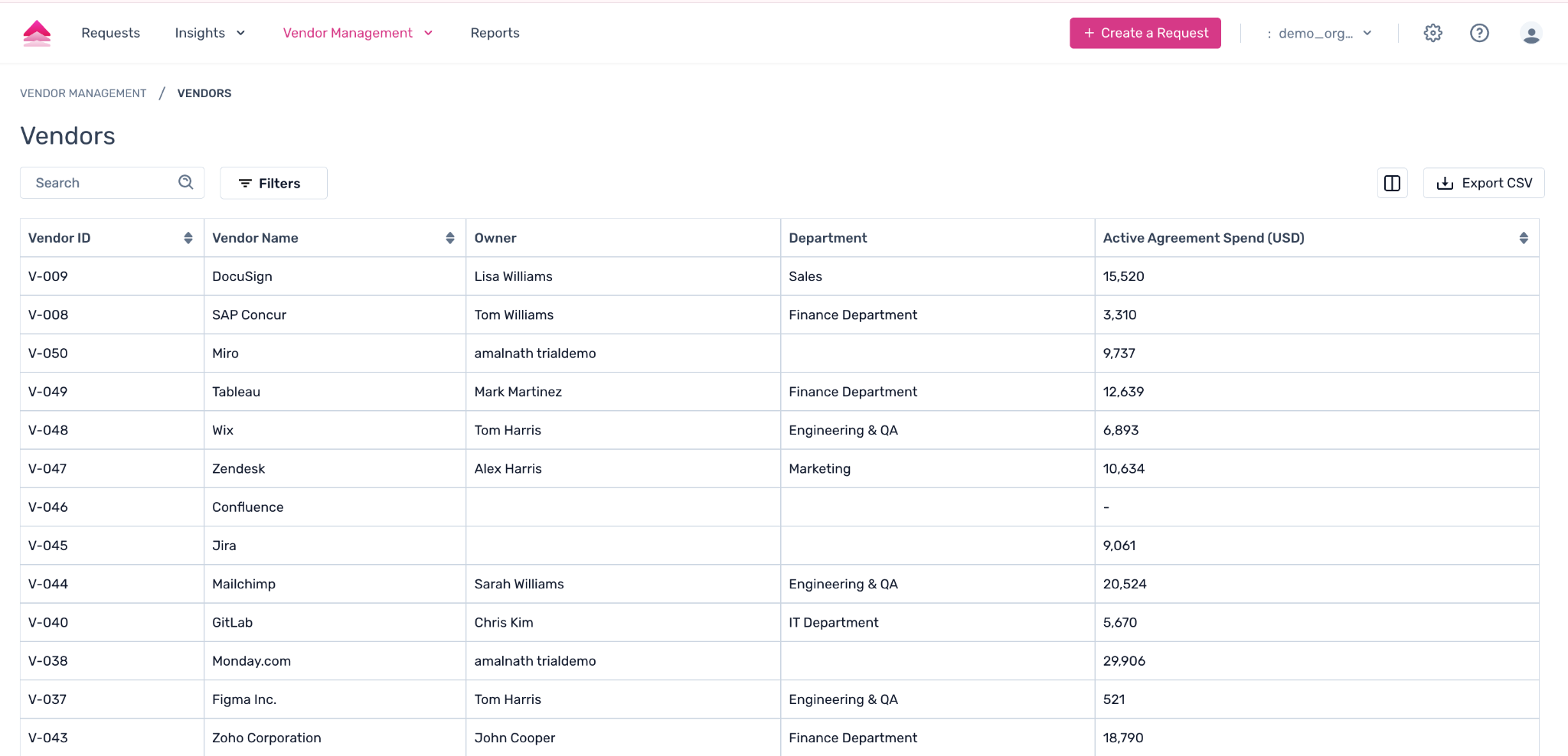
The Vendors page shows all your suppliers in a table. Each row represents one vendor. The following columns are available:
Vendor Name — click to open the vendor's full profile
Owner — the internal team member responsible for this vendor
Department — the business department associated with this vendor
Active Agreement Spend — total spend from currently active agreements
TTM Spend — Trailing Twelve Month spend over the past year
Vendor/Request ID — a unique system identifier (e.g. V-001) assigned to each record
Tips
Use the search bar to find a specific vendor by name.
Apply filters to narrow results by department, owner, or status.
Customise columns to show the information most relevant to your team.
Import vendors in bulk via CSV, or let your ERP integration handle it automatically.
4. The Vendor Details Page
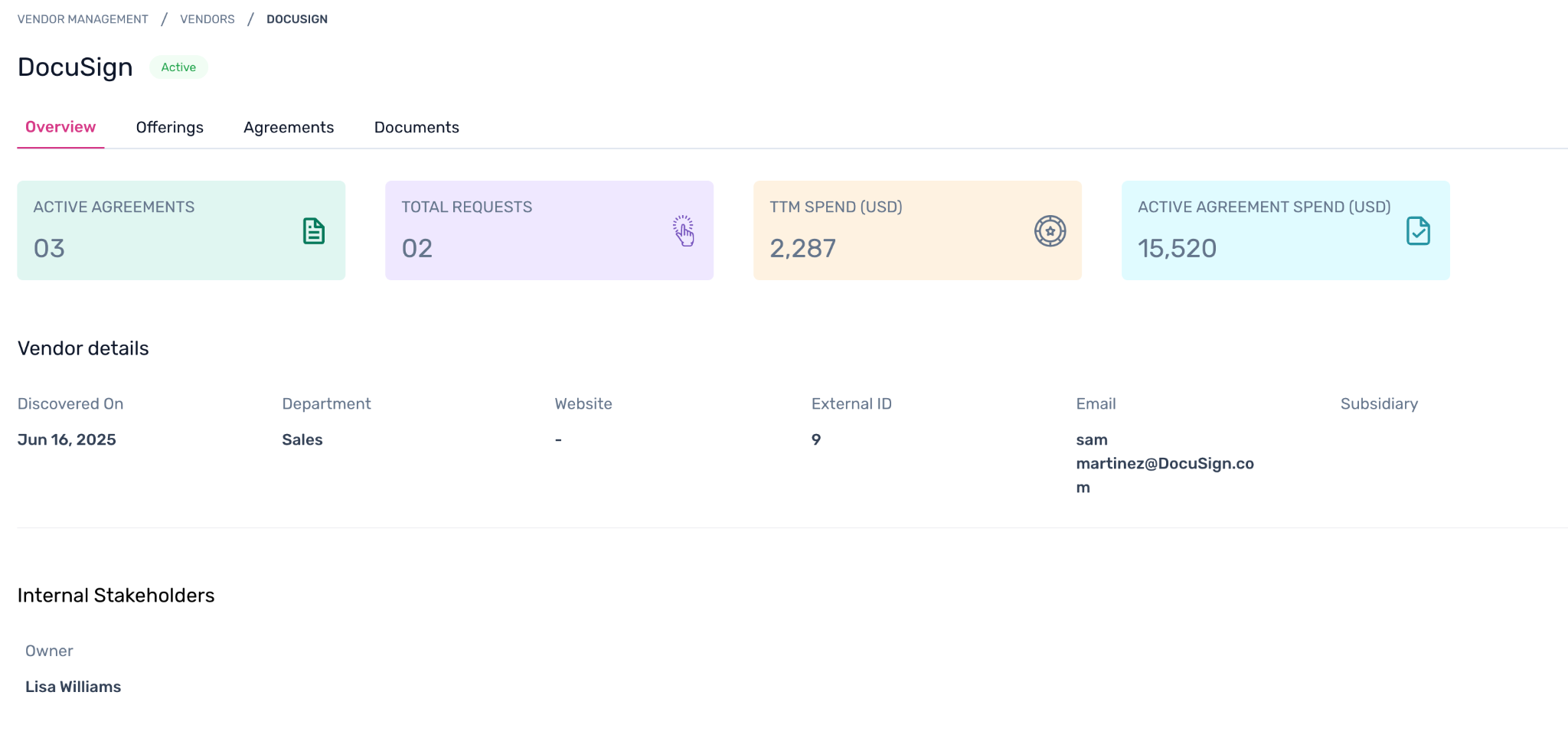
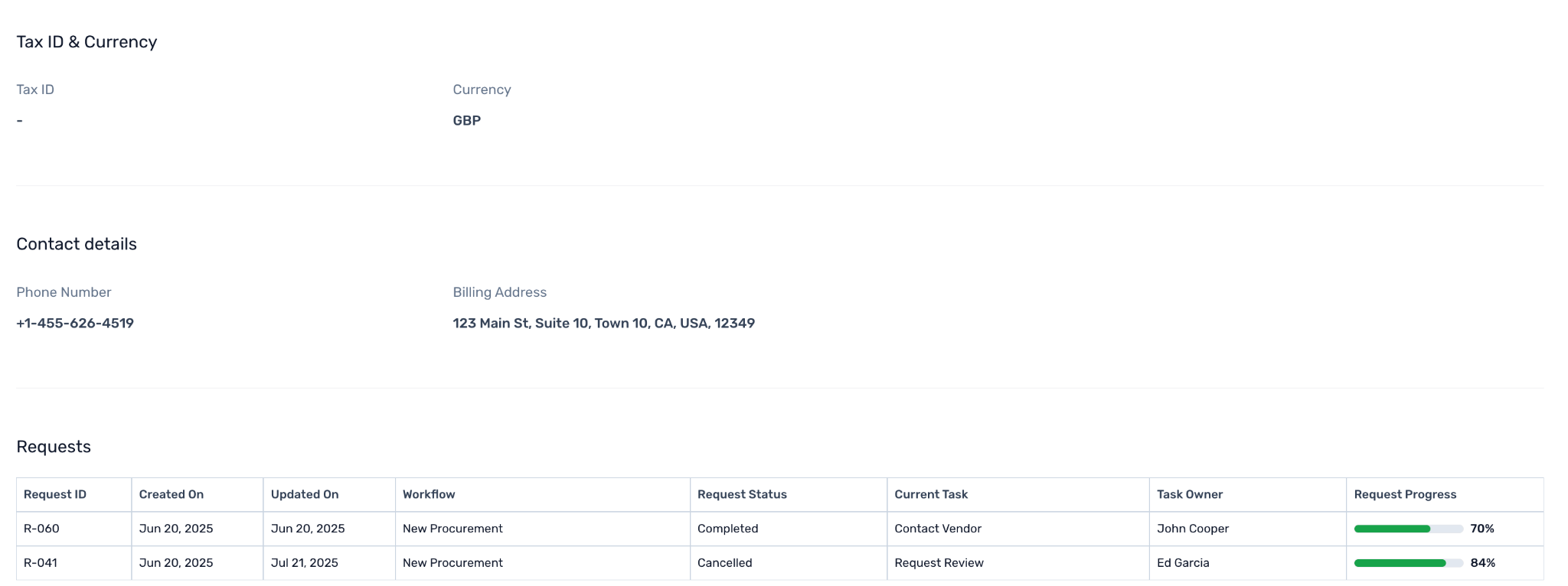
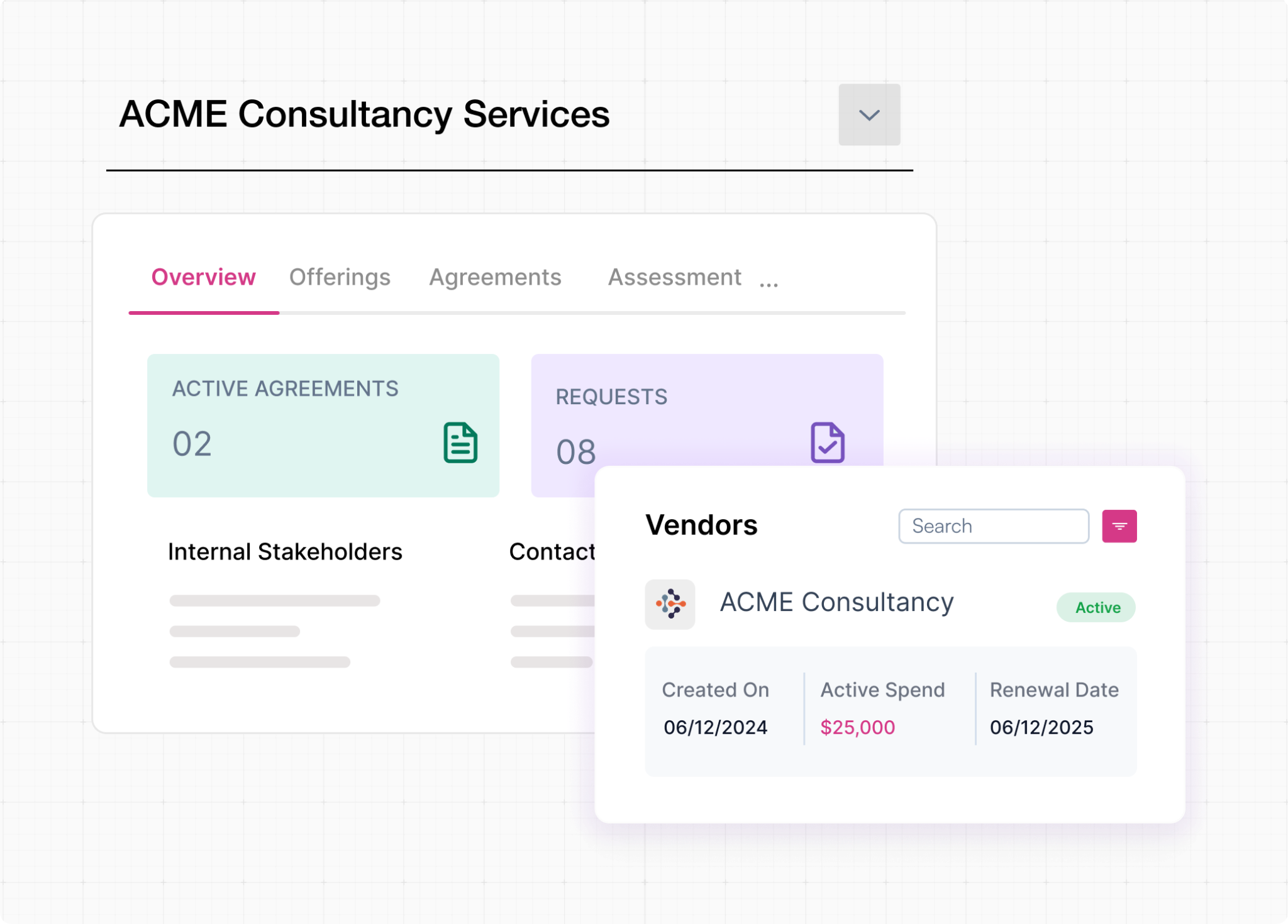
Click on any vendor name in the listing to open the vendor's full profile. This page is your central workspace for everything related to that supplier.
4.1 Overview / Details Tab
Displays the core vendor information - name, website, status, owner, department, and any ERP-linked fields such as subsidiary or finance attributes.
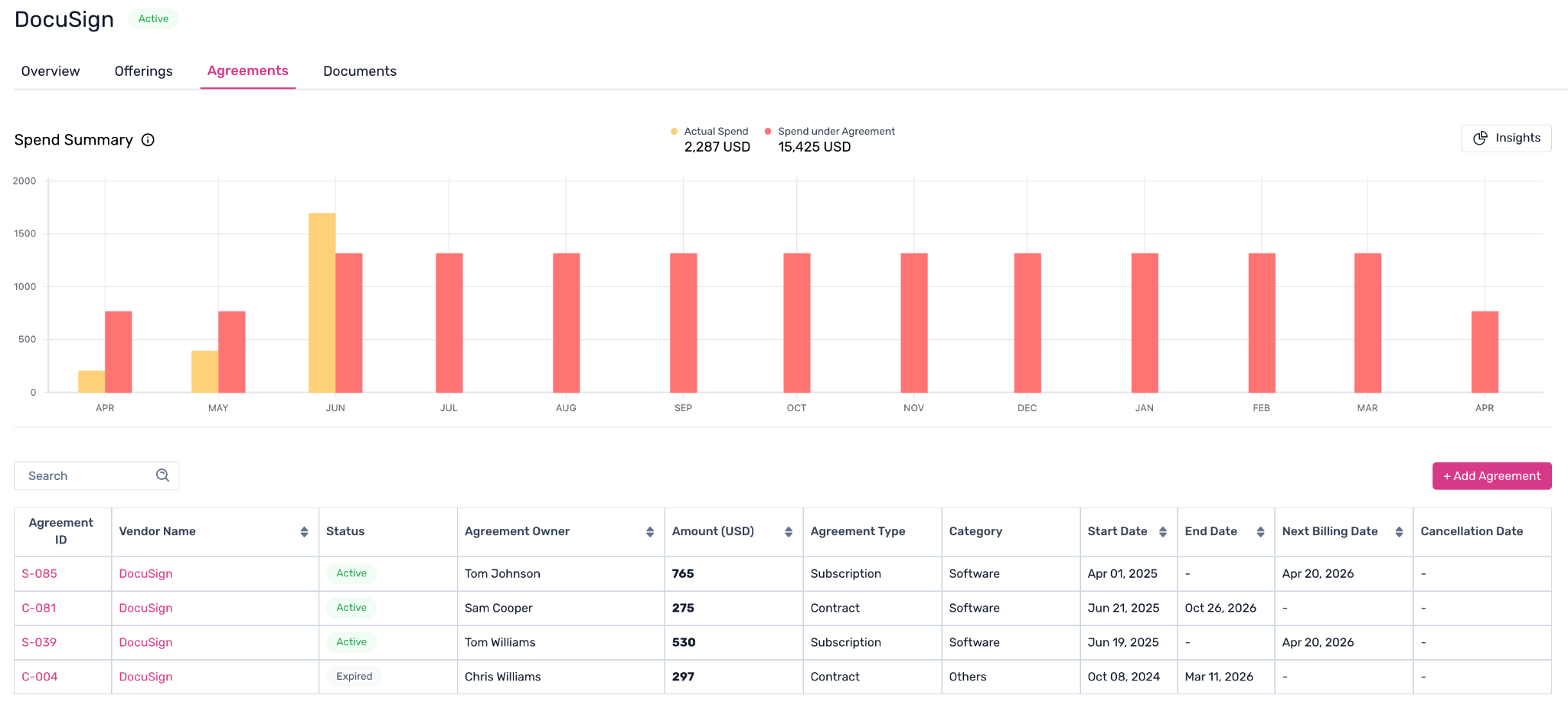
4.2 Agreements Tab
Shows all contracts and agreements linked to this vendor. You can view contract terms, renewal dates, and associated spend from this tab.
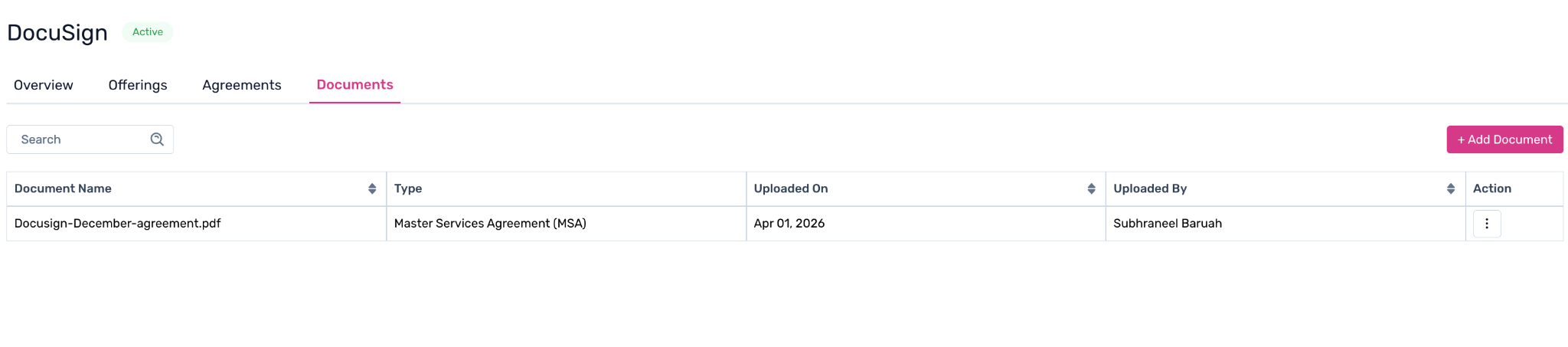
4.3 Documents Tab
A document repository for storing all files related to this vendor. Supported file types include contracts, invoices, purchase orders, security certifications, and any other vendor-related documents. Files are stored directly against the vendor record so your team always knows where to find them.
4.4 Assessments Tab
Displays all vendor questionnaires associated with this vendor, including their current status and historical responses. Admins can configure questionnaire templates and send them to vendors. Vendor responses are automatically recorded here for your team to review.
6. Related Modules
Agreements Management
Manage contracts across all vendors. Agreements are linked directly to vendor records, so you can see all contracts for a given supplier from within the vendor profile.
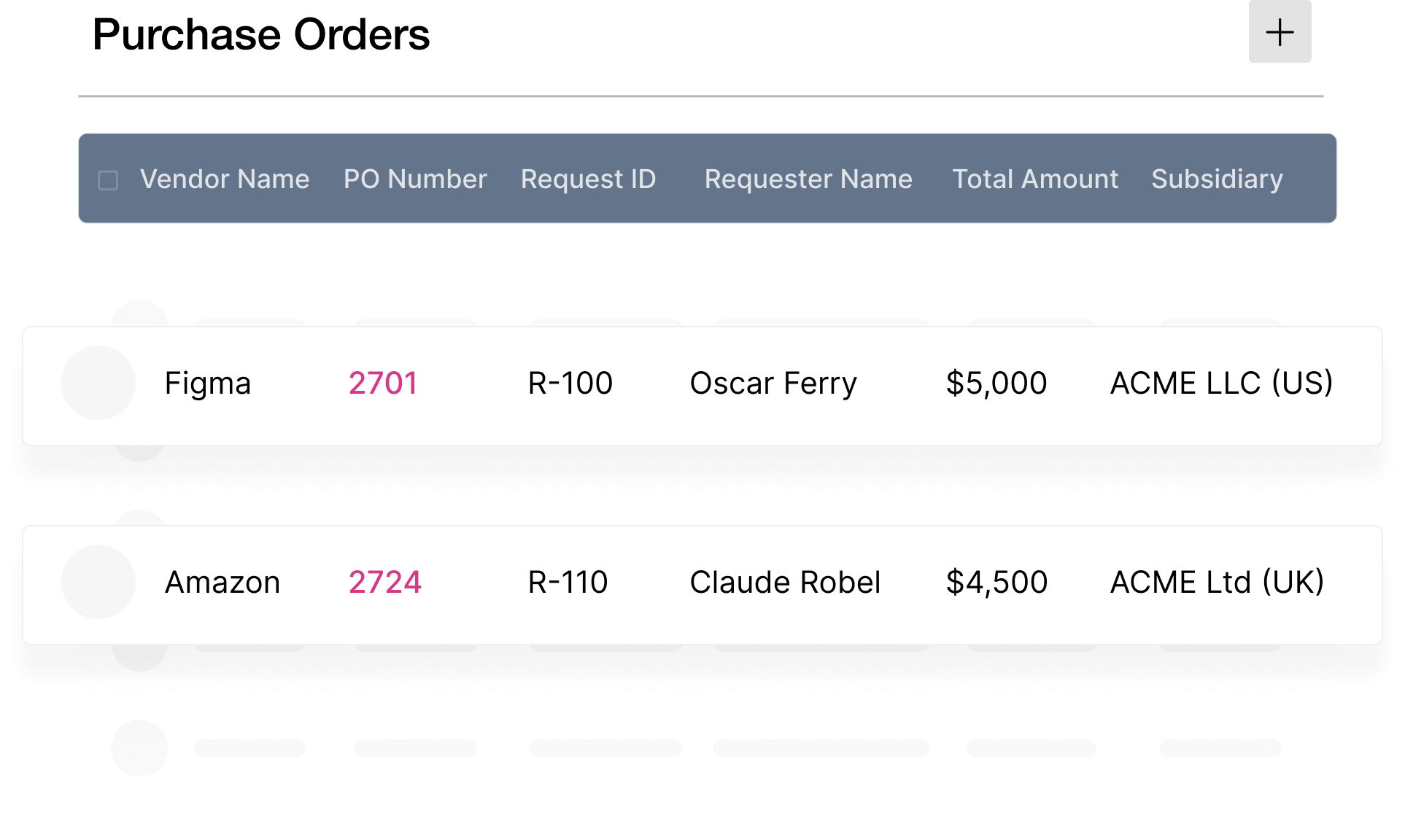
Purchase Orders
POs are managed under the Vendor Management section and can be linked to specific vendors for full spend visibility.
Vendor Portal
A self-serve portal where vendors can complete onboarding steps and respond to questionnaires — without needing access to your internal Spendflo workspace.
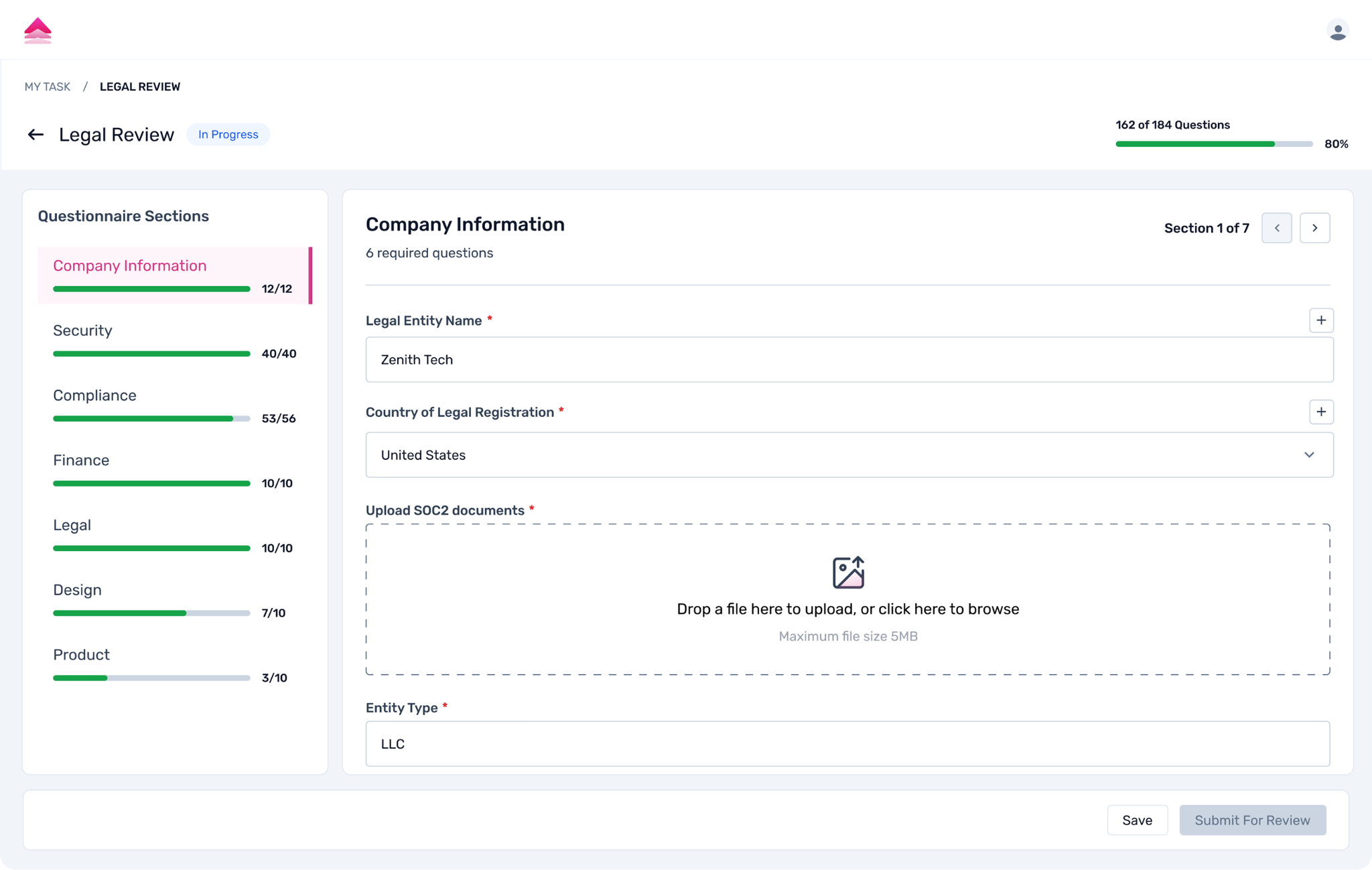
Vendor Questionnaires
Configure and send custom questionnaire templates to vendors for security, compliance, or procurement assessments.
Was this article helpful?
That’s Great!
Thank you for your feedback
Sorry! We couldn't be helpful
Thank you for your feedback
Feedback sent
We appreciate your effort and will try to fix the article