Managing your software procurement requests is straightforward with Spendflo Copilot (Flo AI). By using natural language prompts, you can quickly categorize your active requests into renewals, expansions, or net-new procurements. This classification helps your finance and procurement teams gain clear visibility into SaaS spend and track savings effectively.
How to Classify Requests
Follow these steps to classify your open requests:
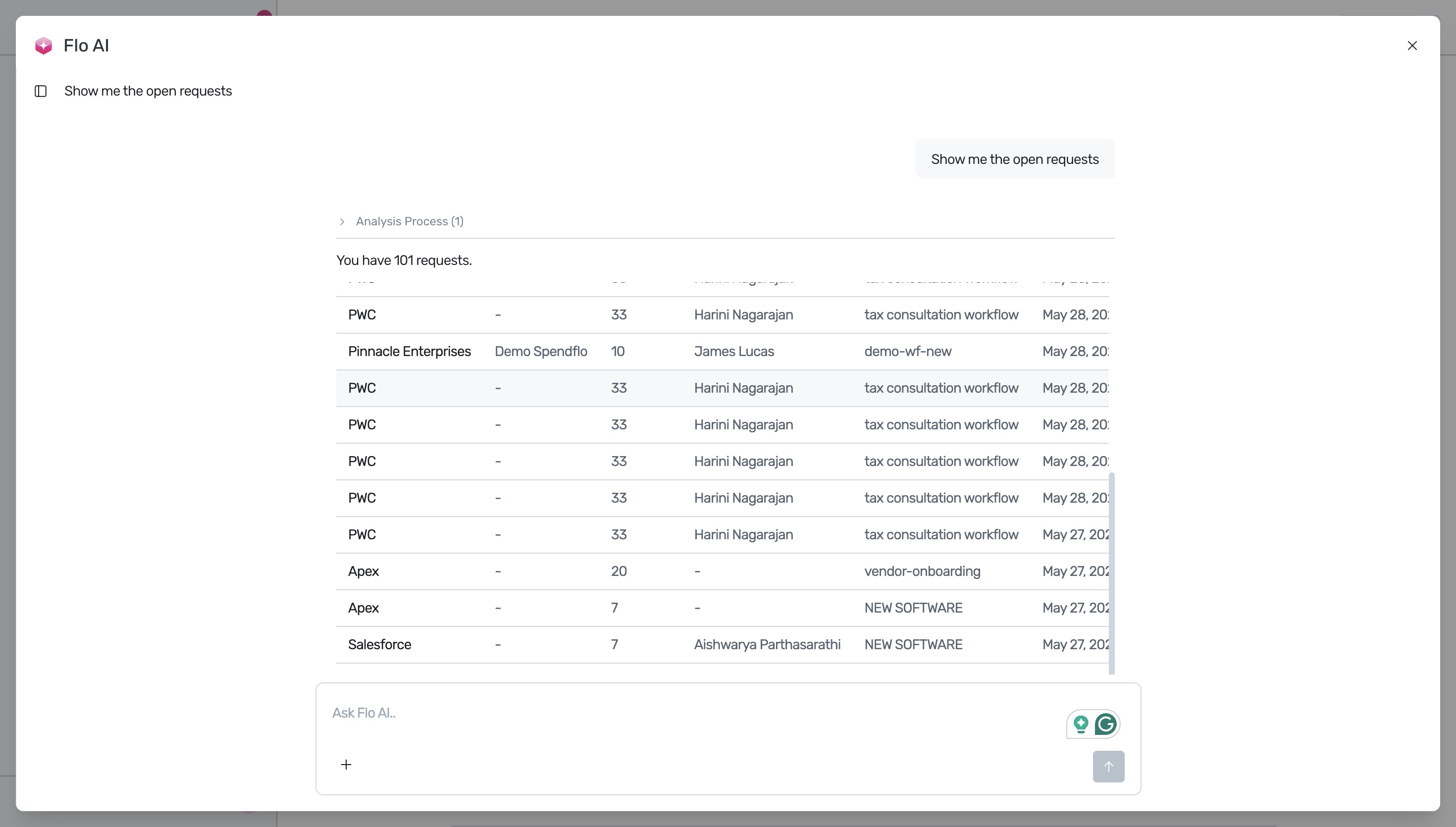
Open the Flo AI interface and request a list of active requests. You can type a prompt such as "Show me the open requests" to generate a tabular view of your current requests.
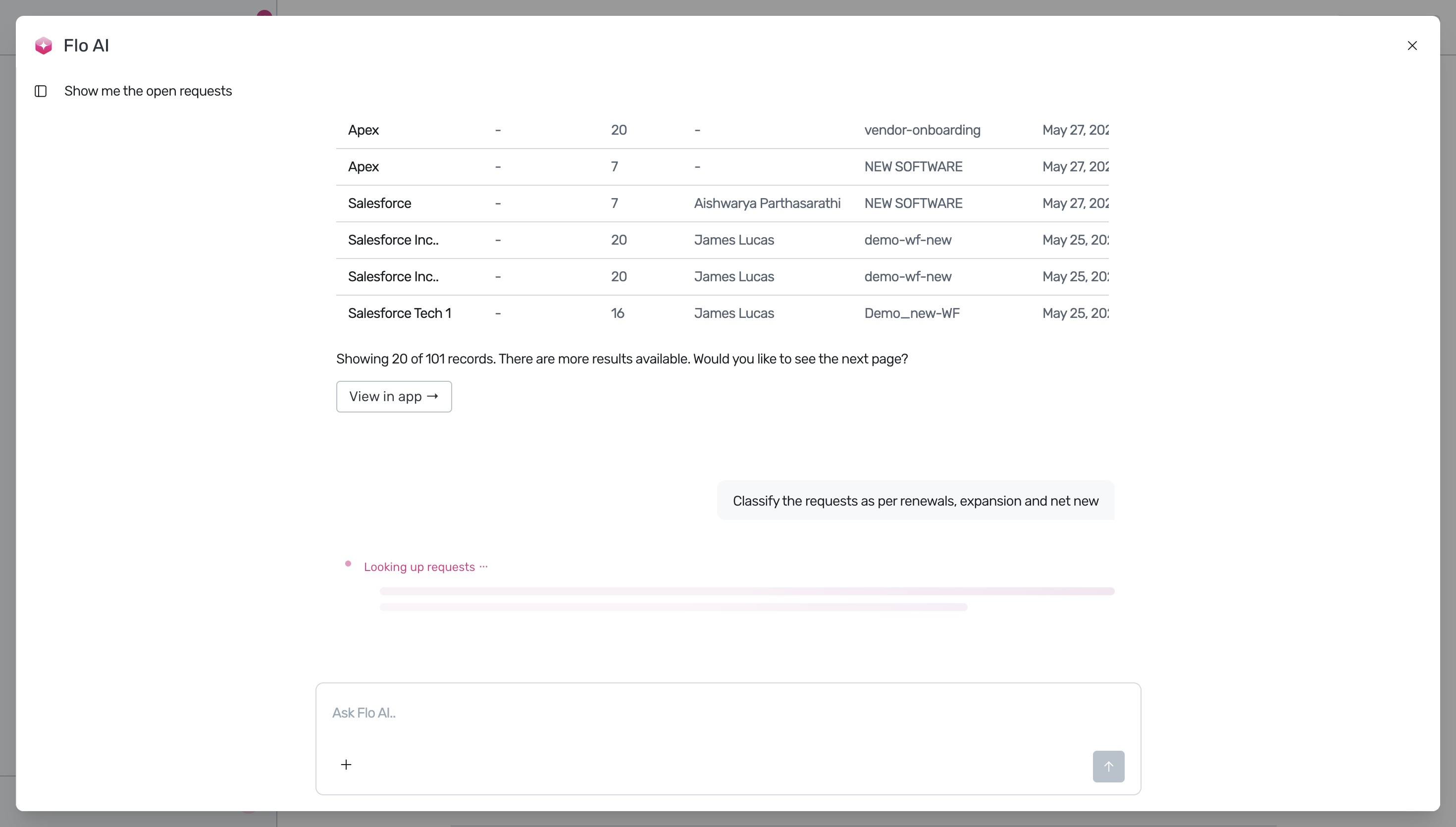
Click the Ask Flo AI.. input box at the bottom of the interface and enter your classification query. For example, enter "Classify the requests as per renewals, expansion and net new".
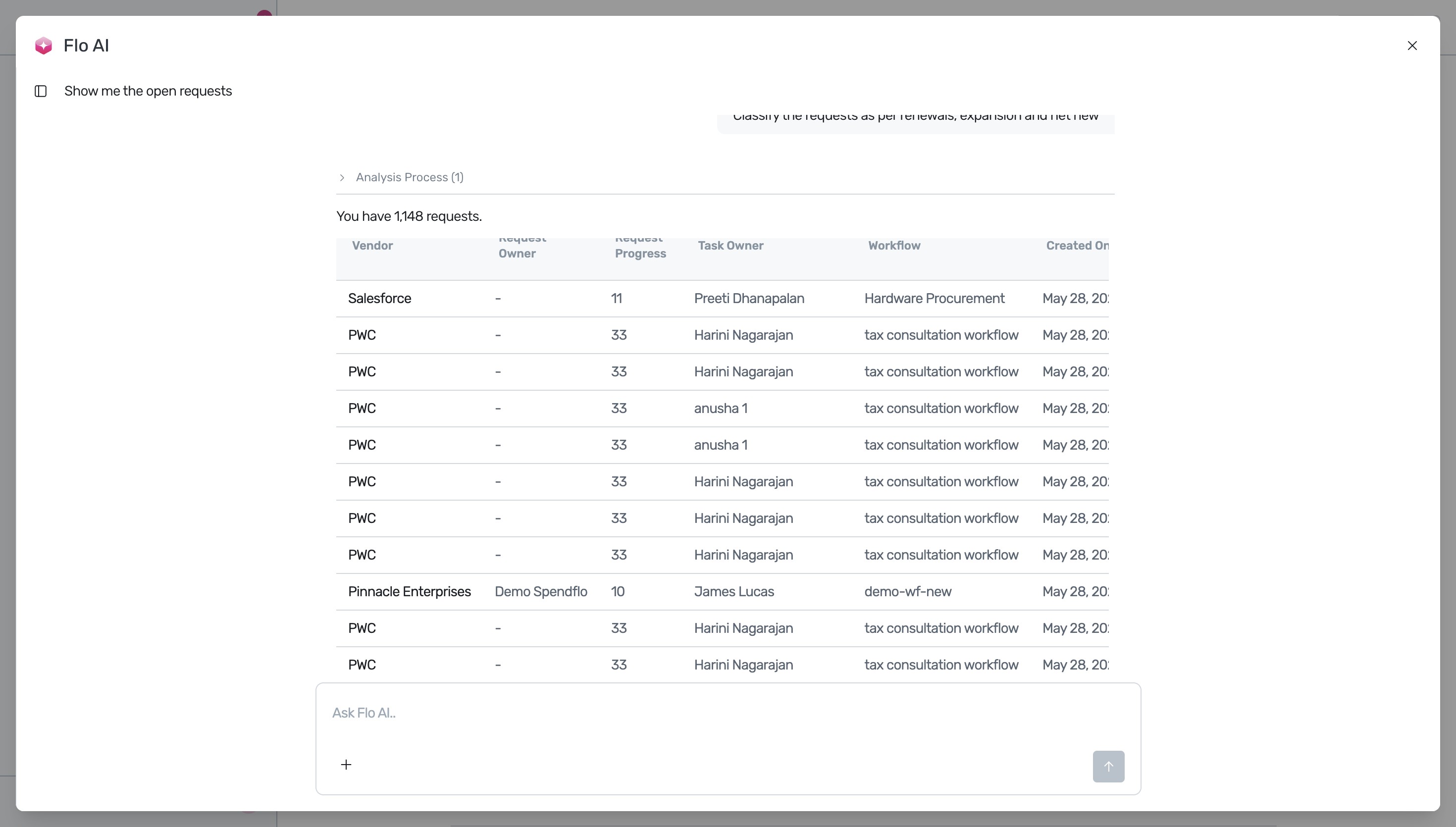
Review the analyzed requests. Flo AI processes the data and displays the categorized requests in a comprehensive table, making it easy to see which requests are renewals, expansions, or net-new.
Understanding Request Categories
To help you manage your SaaS pipeline, Flo AI groups requests into three distinct categories:
- Renewal: Focuses on extending existing contracts. For more details on managing these.
- Expansion: Involves upgrades, plan changes, or adding licenses to active contracts.
- Net-New: Represents brand new software procurements.
Next Steps
Now that you have classified your requests, you can analyze your procurement trends and cost savings.
Was this article helpful?
That’s Great!
Thank you for your feedback
Sorry! We couldn't be helpful
Thank you for your feedback
Feedback sent
We appreciate your effort and will try to fix the article